
Your content. Your screens. Your brand.
Digital signage software for gyms & fitness studios
Put your own videos, images and updates on your gym’s TVs. With SILENTRAINER, you can build playlists, schedule content and manage compatible screens from a browser dashboard.
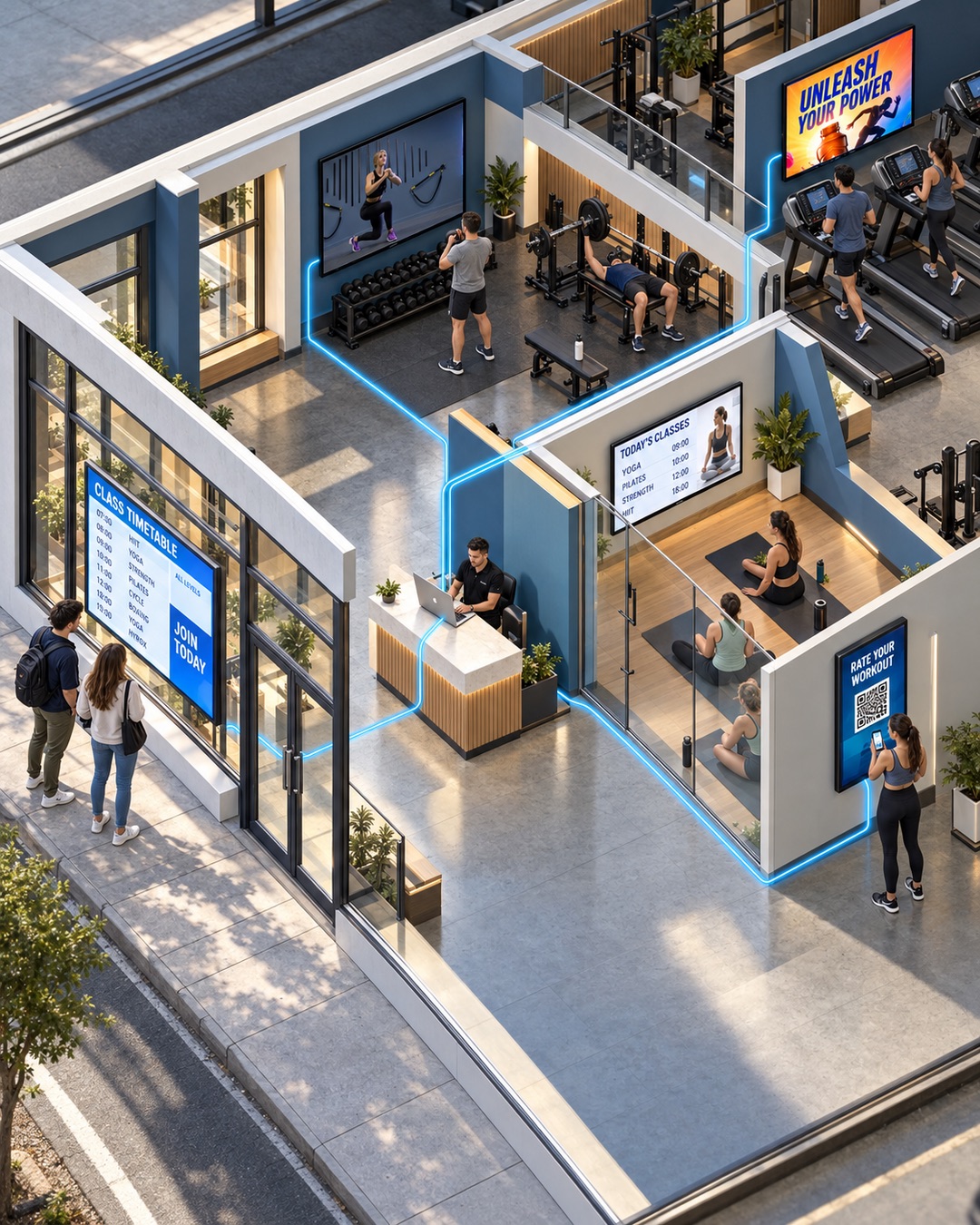
Give every gym screen a purpose
Gym digital signage lets you choose what plays on your TVs, from exercise demonstrations to member announcements. SILENTRAINER brings your content into playlists that you can assign and schedule for each screen.
Exercise & equipment demos
Show videos made by your coaches, including equipment setup, movement demonstrations and technique cues.
Timetables & member updates
Display timetable images, opening hours, upcoming classes and event announcements. Replace the uploaded content whenever details change.
Your brand & community
Introduce your trainers, share club photos and bring selected Instagram content onto your reception or gym-floor screens.
Offers & partner promotions
Promote personal training, memberships and merchandise, or display adverts from sponsors and local partners you arrange.
Find digital signage for your space
Explore practical ways to use your screens, whether you run a gym, a studio or a shared fitness room.
Gyms
Exercise demos on the gym floor. Trainer introductions, member updates and offers at reception.
Digital signage for gyms →CrossFit boxes
Coach-made movement videos, uploaded workout graphics and community event announcements.
Digital signage for CrossFit boxes →Boutique fitness studios
Instructor spotlights, class promotions and branded content for spin, HIIT, barre and rowing studios.
Digital signage for boutique studios →Yoga studios
Welcome students with teacher introductions, timetable images, retreat news and quiet visual content.
Digital signage for yoga studios →Pilates studios
Share instructor-made demos, explain class formats and promote workshops or private sessions.
Digital signage for Pilates studios →Hotel gyms
Display equipment demonstrations, fitness-room information and your hotel’s wellness services.
Digital signage for hotel gyms →Residential gyms
Bring equipment guidance, amenity updates and community announcements into shared fitness rooms.
Digital signage for residential gyms →Physiotherapy clinics
Show clinic-approved educational videos, practitioner introductions and service information.
Digital signage for physiotherapy clinics →Start with the screens you have.
- 1
Connect your TV
Type the SILENTRAINER screen URL into your compatible TV’s browser. Enter the code shown on the TV in your account—and it’s connected.
- 2
Build your playlist
Choose ready-made exercise demonstrations or upload your own videos, trainer introductions, offers and announcements. Arrange them in the order you want.
- 3
Schedule and let it play
Choose and schedule playlists for each screen. Update them anytime—from your laptop, wherever you are.
Your content plays automatically. Members simply watch, learn and train—no interaction with the screen needed.
Gym digital signage FAQs
Can I use the TVs I already have?
You can use compatible screens with a suitable web browser and a stable internet connection. Some older TVs may need a supported external device, such as a Fire TV Stick. Contact us about your TV model before buying equipment.
Can I use only my own content?
Yes. Upload your own videos and images and organise them into playlists. You choose the demonstrations, branding, announcements and promotions shown to your members.
Can different screens show different content?
Yes. Assign playlists and schedules to individual screens, so reception can show announcements while a gym-floor screen shows exercise demonstrations.
Can I display adverts from local businesses?
Yes. Add partner images or videos to your playlists. You arrange the sponsorship or advertising agreement; SILENTRAINER provides the software to display the content.
Where can I check plans and pricing?
See the SILENTRAINER pricing page for current plans, or contact us to discuss the screens you want to connect.
Put your content on your screens
Start with a compatible TV and the content you already have. Build a playlist that fits your space, your members and your brand.